
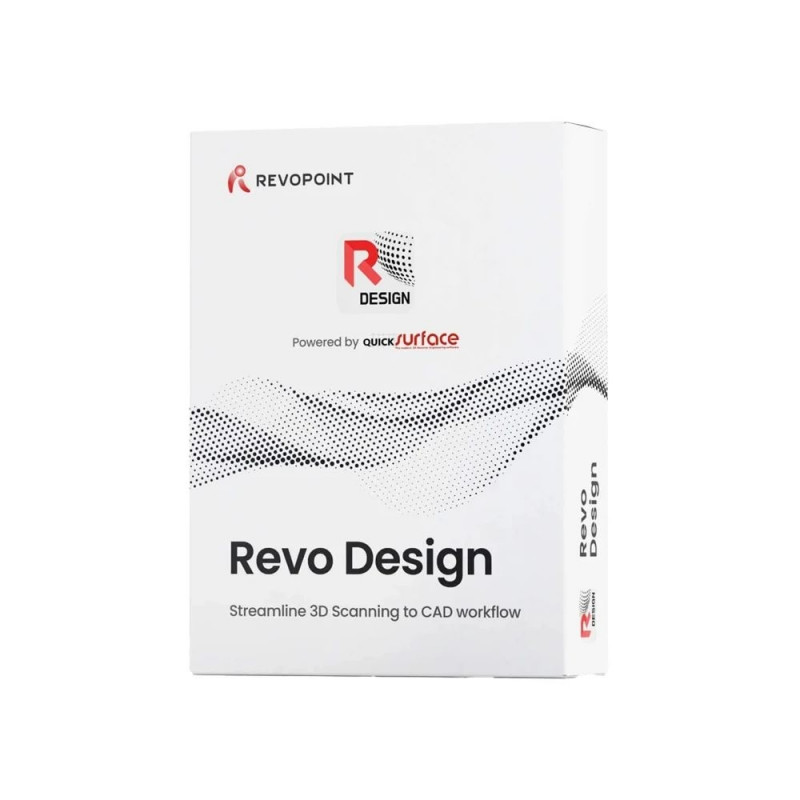
Revo Design Software (1-Year License) - electronic code
165-095744
Monthly payment starting from 21,44 €
Open installments calculatorMain info
Revo Design Software (annual license) - electronic code Revo Design is CAD software that allows you to convert 3D scans into models ready for further editing and design. It supports STL, OBJ, and PLY files and offers tools for improving scan quality,Warning: Last items in stock!
Revo Design is CAD software that allows you to convert 3D scans into models ready for further editing and design. It supports STL, OBJ, and PLY files and offers tools for improving scan quality, reconstructing object shapes, and surface modeling. It also allows you to verify the accuracy of your designs and export finished models in IGES and STEP formats, so you can use them in other CAD/CAM programs. It is ideal for, among other things, recreating existing parts, modifying their shapes, and preparing simple designs. The software is available with an annual license, and the activation key is delivered electronically.
Prepare 3D scans for further workRevo Design allows you to import 3D scans in STL, OBJ, and PLY formats, even for large and detailed models. The program lets you smooth out irregularities, remove unnecessary parts, fill holes, reduce the number of polygons, and crop selected areas. You can also align multiple scans to achieve a more accurate representation of the object. The available tools make it easy to prepare scanned objects for further processing without having to start from scratch.
Create and edit 3D modelsWith Revo Design, you can recreate the shapes of existing objects and modify them according to your project’s needs. The program allows you to create 2D and 3D sketches, prepare cross-sections, and transform them into 3D models by extruding or rotating selected shapes. Tools are also available for trimming surfaces, aligning them with a scanned object, and manually modeling irregular elements. The automatic surface generation feature further simplifies the recreation of more complex shapes, reducing the amount of work required to prepare a CAD model.
Control the accuracy of your designsRevo Design offers a feature for comparing the prepared model with the original 3D scan, which allows you to detect differences between their shapes. This enables you to check your work as you go, quickly identify areas requiring corrections, and adjust the design accordingly. The software also allows you to verify that the lines and curves you create match the scanned object. This feature facilitates the accurate reproduction of existing elements and reduces the risk of overlooking significant differences.
Integration with Other SoftwareRevo Design allows you to export finished CAD models to IGES and STEP formats, enabling you to transfer designs to other CAD/CAM programs and continue editing them. It also lets you save scan data in STL format, which facilitates the further use of the prepared files. An additional benefit is integration with Revo Scan and Revo Scan 5 MetroX, which provide quick access to Revo Design and allow you to efficiently transition from scanning an object to editing its model. However, Revo Design is a separate software program that must be downloaded and installed independently.
Annual License and ActivationThe version of Revo Design offered here comes with an annual license, which allows you to use the program for one year. After purchase, you will receive an email with a license key within a maximum of 3 business days. To get started, download the software from the Revopoint product page using the “Download” button, which takes you to the QUICKSURFACE website, then install and activate it using the license key you received. A single account can be used on only one device at a time, and the purchased software is non-refundable and non-exchangeable.
System Requirements and Technical SupportRevo Design requires a computer running a 64-bit version of Windows 10, an Intel Core i5 processor or higher (or equivalent), at least 16 GB of RAM, a hard drive with a capacity of at least 256 GB, and a dedicated NVIDIA or AMD graphics card. After activation, an Internet connection is not required, but it allows the software to automatically check for updates. If you have any questions or issues, you can use the Revopoint Help Center, the user forum, or schedule a one-on-one video call with a representative from the manufacturer. A 30-day trial version is also available, allowing you to explore the program’s features before purchasing.
Product codes
Photopoint offers free shipping for orders over 99 € delivered to Estonia. Take a look in the tab "Delivery" for a more precise delivery estimate.
For this product you can select the desired delivery method at the shopping cart:
Photopoint store Pick-up
Place your order from Photopoint web store and pick your goods up from one of Photopoint`s brick and mortar stores. The delivery to Photopoint store is free even for orders less than 99 €. You will be noticed by e-mail when your order is ready for pick-up.
The Photopoint stores are located in Tallinn and Tartu. See the exact locations from here.
Omniva parcel terminal
You can order the goods to one of the Omniva Parcel terminals. Choose the desired terminal at the shopping cart. As the shipment arrives to the selected terminal, you will be sent an SMS-notification with an unique code. Go to the terminal within a week, enter the code and take your package. It is as simple as that.
See Omniva Parcel terminal locations here.
SmartPOST parcel terminal
Did not find an Omniva terminal at suitable location? Try SmartPost. Choose the desired terminal at the shopping cart. As the shipment arrives to the selected terminal, you will be sent an SMS-notification with an unique code. Go to the terminal within a week, enter the code and take your package. This method actually works for all parcel terminals.
See SmartPOST parcel terminal locations here.
DPD parcel locker
Make sure you check out also the locations of DPD parcel lockers. These are located all over Estonia. The delivery is the same. As the shipment arrives to the selected locker, you will be sent an SMS with a unique code. Go to the locker, enter the code and take your package.
See DPD parcel locker locations here.
Smartpost Finland parcel terminal
SmartPOST Finland is the best way to order goods to Finland. These terminals work the same way as in Estonia. As the shipment arrives to the selected terminal in Finland, you will be sent an SMS-notification with an unique code. Go to the terminal, enter the code and take your package.
See SmartPOST Finland parcel terminal locations here.
Matkahuolto parcel service
Matkahuolto is easy way to order goods to Finland. These are located also in smaller Finnish towns. As the shipment arrives to the selected Matkahuolto outlet, you will be sent an SMS-notification or an e-mail. Go to the outlet, show your ID and take your package.
See Matkahuolto outlet locations here.
Omniva courier delivery
The courier will transport your goods from Photopoint straight to the provided address. The delivery will take place at workdays from 08:00 to 17:00. Hold your phone near you as the courier will call you prior to its arrival. Please make sure there is someone at the destination, eligible to receive the shipment.
The product can only be ordered from our online store and it takes from 4-7 working days for delivery within Estonia.