- Klienditugi E-P 9-21:00 Infotelefon 800 3686 9-21:00 Infotelefon: 800 3686 Kauplused
-
Minu konto
-
Minu Photopoint
-
Oled uus klient?
Loo konto
-
Toode on lisatud ostukorvi
Sinu ostukorvis on 0 toodet. Sinu ostukorvis on 1 toode.
Kuumakse al. 5 €
Soovi korral taotle järelmaksu ostukorvis
Lisades tellimusse veel 99 € eest tooteid saad tasuta transpordi pakiautomaati või kulleriga koju.
-
Kaamerad
- Peegelkaamerad
- Hübriidkaamerad
- Kompaktkaamerad
- Seikluskaamerad
- Videokaamerad
- 360 kraadi kaamerad
- Autokaamerad
- Rajakaamerad
- Turvakaamerad
- Veebikaamerad
- Kiirpildikaamerad
- Filmiga fotokaamerad
- Ühekordsed kaamerad
- Kõik kategooriast kaamerad
Fotokaamerad
Videokaamerad
Analoogkaamerad
- Canon peegelkaamerad
- Nikon peegelkaamerad
- Pentax peegelkaamerad
- Fujifilm Instax kiirpildikaamerad
- Polaroid kiirpildikaamerad
- Canon kiirpildikaamerad
- Kodak kiirpildikaamerad
- DJI kaameradroonid
Top peegelkaamerad
Top kiirpildikaamerad
Top kaameradroonid
- Sony hübriidkaamerad
- Fujifilm hübriidkaamerad
- Panasonic hübriidkaamerad
- OM System hübriidkaamerad
- Canon hübriidkaamerad
- Nikon hübriidkaamerad
- Sony täiskaader hübriidkaamerad
- Panasonic täiskaader hübriidkaamerad
- Nikon täiskaader hübriidkaamerad
- Canon täiskaader hübriidkaamerad
Top hübriidkaamerad
Top täiskaader hübriidkaamerad
- 0 - 25 €
- 25 - 100 €
- 100 - 250 €
- 250 - 500 €
- 500 - 1000 €
- 1000 - ... €
- Canon
- Nikon
- Pentax
- Sony
- Fujifilm
- OM System
- Panasonic
- GoPro
- Polaroid
- Ricoh
Hinnaklass
Bränd
-
Fotokaubad
- Objektiivid
- Filtrid
- Telekonverterid
- Vaherõngad
- Päikesevarjukid
- Objektiivi adapterid
- Objektiivi vutlarid
- Videovalgustid
- Välgud
- Välgupäästikud
- Statiivid
- Statiivipead
- Üksjalad
- Kaamera stabilisaatorid
- Kõik kategooriast fotokaubad
Objektiivid ja tarvikud
Välgud ja videovalgustid
Statiivid
- Kaamera mikrofonid
- Videomonitorid
- Kaugjuhtimine
- Patareitallad
- Seikluskaamerate tarvikud
- Mälukaardid
- USB mälupulgad
- Välised kõvakettad
- Toorikud
- Filmid
- Mälukaardilugejad
- Kaamerakotid
- Kaamerarihmad
- Vihmakaitsed
Kaamera lisatarvikud
Salvestusmeedia
Fotokotid ja tarvikud
- Pildiraamid
- Albumid
- Paspartuud
- Fotokarbid
- Fotonurgad ja liimid
- Ekraani kaitse
- Sensori puhastus
- Puhastuskomplektid
- Puhastuslapid
- Puhastuspliiatsid
- Puhastusvedelikud
- Kemikaalid
- Fotopaber
- Laboritarvikud
Arhiveerimistarvikud
Puhastus ja kaitse
Labor
-
Arvuti & IT
-
Elektroonika
- Autoraadiod
- Auto helisüsteem
- GPS seadmed
- Telefoni autohoidikud
- Autolaadijad
- Autokaubad
- Televiisorid
- Kodukino komplektid
- DVD ja Blu-ray mängijad
- Ressiiverid ja võimendid
- Projektorid
- Meediapleierid
- Mängukonsoolid
- Digitaalsed pildiraamid
- Droonid
- Kaugjuhitavad mänguasjad
- Kõik kategooriast elektroonika
Autosse
Elutuppa
Õue
-
Kodu & aed
-
Ilu & tervis
- Naiste parfüümid, lõhnad ja lõhnaõlid
- Tualettveed naistele
- Kölni veed naistele
- Lõhnakomplektid naistele
- Meeste lõhnad, parfüümid ja lõhnaõlid
- Tualettveed meestele
- Kölni veed meestele
- Lõhnakomplektid meestele
- Unisex parfüümid
- Unisex Kölni veed
- Päevituskreemid
- Päikesekaitsekreemid
- Päevitusjärgsed kreemid
- Kõik kategooriast ilu & tervis
Naiste lõhnad
Meeste lõhnad
Unisex-lõhnad
Päevitus
- Dušigeelid
- Deodorandid
- Seebid
- Desinfitseerimisvahendid
- Ihupiimad
- Kehakreemid
- Kätekreemid
- Epilaatorid
- Karvaeemaldus
- Massaaživahendid
- Näokreemid
- Näoseerumid
- Näomaskid
- Silmaümbruse kreemid
- Näokoorijad
- Näopuhastajad
Hügieen
Keha- ja nahahooldus
Näohooldus
- Elektrilised hambaharjad
- Suupesurid
- Hambapastad
- Pardlid ja habemeajamismasinad
- Habemepiirajad
- Habeme hooldusvahendid
- Žiletid
- Küünelakid
- Küüneviilid
- Maniküüri ja pediküüri komplektid
- Jalavannid
- Päikeseprillid
- Sinise valguse prillid
- Ehted
Suuhooldus
Habemehooldus
Maniküür ja pediküür
Aksessuaarid
-
Sport & hobi
- Nutikellad meestele, naistele ja lastele
- Nutivõrud
- Spordikellad
- Spordikellade ja nutikellade rihmad
- Käsi-GPS'id
- Pulsiandurid
- Jalgrattad
- Lasterattad
- Tõukerattad
- Rulluisud
- Fitness
- Trenažöörid
- Jõusaalivarustus
- Spordikotid
- Nutikaalud
- Kaalud
- Vererõhumõõtjad
- Termomeetrid
- Kõik kategooriast sport & hobi
Spordikellad
Spordikaubad
Terviseseadmed
- Aiatööriistad
- Aiatehnika
- Akutrellid
- Lööktrellid
- Juhtmega trellid
- Kruvikeerajad
- Tööriistakomplektid
- Multitööriistad
- Ketassaed
- Nurklihvijad
- Liimipüstolid
- Loodid
- Mõõdulindid
- Kruvid, naelad, tüüblid jm
- Tööriided ja kaitsevahendid
- Kõik kategooriast "Tööriistad"
- Valuveljed
- Rehvid
- Esitulede pirnid
- Klaasipuhastajad
- Varuosad
- GPS seadmed
- Kõik kategooriast "Autokaubad"
Tee seda ise
Autokaubad
-
Mänguasjad
- Kaugjuhitavad mänguasjad
- Kaugjuhitavad autod
- Kaugjuhitavad lennukid ja helikopterid
- Droonid
- Mänguasjad õue
- Mänguasjad randa
- Liivakasti mänguasjad
- Mängu- ja veepüstolid
- Pealeistutavad sõidukid
- Hüppepallid
- Pallid
- Mullitajad
- Mängumajad ja liumäed
- Kiiged
- Kõik kategooriast mänguasjad
Kaugjuhitavad mänguasjad
Aktiivne tegevus
- Pehmed mänguasjad ja mänguloomad
- Voodikarussellid
- Mänguasjad vanni
- Kõristid
- Beebipusled
- Närimisrõngad
- Tegelustekid
- Mängukeskused
- Puslematid
- Mänguautod
- Mängurongid
- Sõidurajad ja tarvikud
- Mudelid
- Mudelite värvid ja tarvikud
Beebid ja väikelapsed
Mängusõidukid ja mudelid
- Lauamängud lastele, täiskasvanutele, kogu perele
- Puslede müük firmadelt Ravensburger, Trefl ja mitmetelt teistelt
- 3D-pusled
- Kaardimängud
- Mängukaardid
- Interaktiivsed mänguasjad
- Laste rollimängud
- Muud mänguasjad
Lauamängud ja pusled
Kaardimängud
Muud mänguasjad
-
Auto

Epson kõik-ühes printer WorkForce WF-2830 DWF
14-514768

Põhiinfo
Epson WorkForce WF-2830 DWF Inkjet PrinterCompact 4-in-1 inkjet printer for the home office and small offices with automatic document feeder, WLAN and mobile printing capability.Intelligent performance and intelligent connectivityThis sleek, compactToode on arhiivis, kuvatakse vaid informatiivsel eesmärgil.
Epson WorkForce WF-2830 DWF Inkjet Printer
Compact 4-in-1 inkjet printer for the home office and small offices with automatic document feeder, WLAN and mobile printing capability.
Intelligent performance and intelligent connectivity
This sleek, compact and user-friendly 4-in-1 inkjet printer can reduce material consumption and cost through double-sided DIN A4 printing and cost-effective separate cartridges. The Automatic Document Feeder (ADF) and 3.7cm colour display allow you to scan, copy and fax multi-page documents quickly and easily. Print directly from mobile devices with our print apps1, WLAN or Wi-Fi Direct and take advantage of scan-to-cloud capabilities.
Compact and elegant
With its slim and elegant design, this space-saving 4-in-1 model can be easily integrated into your home office. Navigation through the printer functions is child's play thanks to the intuitive user interface and LCD colour display.
Affordable and environment-friendly
This sleek, compact and easy-to-use 4-in-1 printer can reduce the number of materials used and the cost of double-sided DIN A4 printing. You can also print cost-effectively with separate individual cartridges - replacing only the ink used.
Wireless printing!
The Epson iPrint app allows you to print documents from your smart device via Wi-Fi or Wi-Fi Direct. With Epson Email Print you can send files to your printer from virtually anywhere in the world. You can store your scanned documents directly in cloud storage and share them with others.
Reduce printing costs
Regardless of whether you print a lot or only occasionally: Epson offers you the right cartridge in the Standard and standard XL sizes. XL stands for a higher ink filling quantity and thus an increased page yield. For both cartridge types, the colours are available separately, so only the used colour needs to be replaced.
Reliable quality
Epson original inks and papers are designed to work seamlessly with Epson printers to ensure that you get the perfect print result every time you print. The Epson range of quality products is the result of state-of-the-art manufacturing facilities and extensive and continuous research and development.
Affordable solution
The four separate individual cartridges of the 603 starfish ink series from Epson ensure razor-sharp printing results with vibrant colours at minimum cost. Thanks to their combination of dye and black pigment ink, these inks produce defined and colourful prints.
Features:
- 4-in-1 multifunction device with WLAN: printing, scanning, copying, faxing
- Business functions: automatic document feeder, high-quality documents and double-sided DIN A4 printing
- Easy mobile printing: Print easily from your smartphone or tablet
- Separate individual cartridges: Economical, as only the used inks have to be replaced
- 3.7 cm colour display: easy navigation through the printer functions
Features:
- Printing method: 4-color inkjet printer
- Nozzle configuration: 180 nozzles black, 59 nozzles per colour
- Minimum droplet size: 3 pl with variable-sized droplet technology
- Ink technology: DURABrite Ultra
- Category: Home Office, Work
- Print, Scan, Copy, Fax
- Time to first page: Black & White 10 seconds, Color 16 seconds, According to IEEE/ISO 17629
- Printing Speed ISO/IEC 24734: 10 pages/min monochrome, 5 pages/min colour
- Duplex Printing Speed ISO/IEC 24734: 6 A4 pages/min monochrome, 4 A4 pages/min colour
- Printings speed: 33 pages/min monochrome (plain paper), 18 pages/min colour (plain paper)
- Print Resolution: 5,760 x 1,440 dpi
- Max. duty cycle: 3,000 pages per month
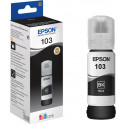
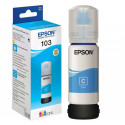
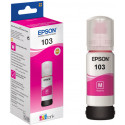
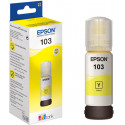
- Colour: black, cyan, yellow, magenta
- Single sided scanning speed (A4 black): 200 dpi 200 dpi (with ADF); 4.5 ipm with ADF scan
- One-sided scanning speed (A4 color): 200 dpi 200 dpi (with ADF); 4.5 ipm with ADF scan
- Scanner resolution: 1.200 x 2.400 dpi (horizontal x vertical)
- Optical resolution (with automatic document feeder): 1,200 x 2,400 dpi (horizontal x vertical)
- Output formats: BMP, JPEG, TIFF, multi-TIFF, PDF, PNG
- Scanner type: Contact Image Sensor (CIS)
- Fax type: Fax option for single jobs (SW and color)
- Fax transmission speed: up to 33.6 kbit/s, approx. 3 seconds per page
- Error correction mode: CCITU/ITU Group3 fax with error correction mode
- Fax speed dial keys (max.): 60 names and numbers
- Page memory: up to 100 pages (ITU-T Table No. 1)
- Fax functions: faxing via PC, automatic redial, address book, delayed fax transmission, broadcast fax, polling reception
- Paper formats: DIN A4, DIN A5, DIN A6, DIN B5, DIN C6 (Envelope), DL (Envelope), No. 10 (Envelope), Letter, 10 x 15 cm, 13 x 18 cm, 16:9, Custom, Legal
- Automatic document feeder: 30 pages
- Compatible Paper Weight: 64 g/m² - 95 g/m²
- Duplex: yes (DIN A4, plain paper)
- Output tray capacity: 30 sheets
- Paper tray capacity: 100 sheets Standard
- Number of paper trays: 1
- Network Printing Protocols: LPR, FTP, IPP, LPD, port 9100, WSD
- protocols for network management: SNMP, HTTP, DHCP, BOOTP, APIPA, DDNS, mDNS, SNTP, SLP, WSD, LLTD, Ping
- Connections: Hi-Speed USB - USB 2.0 standard compatible, Wireless LAN IEEE 802.11b/g/n (WiFi 4), Wi-Fi Direct
- WLAN security: WEP 64 Bit, WEP 128 Bit, WPA PSK (TKIP), WPA PSK (AES)
- Mobile and Cloud printing services: Epson Connect (iPrint, Email Print, Remote Print Driver, Scan-to-Cloud), Apple AirPrint, Google Cloud Print
- Network protocols: TCP/IPv4, TCP/IPv6
- Recommended number of users: from 1 to 2
- Power consumption: 11 W (copying without PC, ISO/IEC pattern 24712), 1.7 W (energy saving mode), 4 W (ready), 0.3 W (off)
- Supply voltage: AC 100 V - 240 V, 50 Hz - 60 Hz
- Compatibility Mac OS X 10.6.8 or later, Windows 10, Windows 7 (32/64 bit), Windows 8, Windows 8.1, Windows Server 2008 (32/64 Bit), Windows Server 2008 R2, Windows Server 2012 R2, Windows Server 2016, Windows Vista (32/64 Bit), Windows XP Professional x64 Edition SP2 or later, Windows XP SP3 or later (32-bit), Windows Server 2003 R2, spectextoptionoperatingsystemswin2003ii2
- Software: Epson Event Manager, Epson Fax Utility, Epson Scan 2, Epson ScanSmart, EpsonNet Config
- LC diplay: colour display, diagonal 3.7 cm
- Weight: 5.2 kg
- Dimensions: 375 x 30 x 218 mm
| Feature1 | airprint |
| Feature2 | google-cloud-print |
| Feature3 | fax |
| Feature4 | duplex |
| Feature5 | wlan |
| Feature6 | adf |
| Type | 4 in 1 Multi-Function Unit |
| Printing Technology | Ink-Jet Printer |
| Print Resolution Colour (dpi) | 5760 x 1440 |
| Max. Printing Speed Colour (ppm) | 18 |
| Colour Print Speed in Accordance with ISO/IEC 24734 (PPM) | 4 |
| Number of Colours | 4 |
| Max. Print Size | DIN A4 |
| Paper Feed (Sheet) | 100 |
| Optical Resolution | 1200 x 2400 |
| Scanner Type | CIS |
| Phone Book Entries | 60 |
| Display | Yes |
| Screen Diagonal (cm) | 3,7 |
| USB | USB 2.0 |
| WLAN | Yes |
| Colour | Black |
| Width (mm) | 375 |
| Height (mm) | 218 |
| Depth (mm) | 300 |
| Weight (kg) | 5,2 |
Üldine
1,5"
Ühenduvus
Google Cloud Print
Toetatud paberitüübid
Printeri tehnilised andmed
Värviline: 18 lk/min
Värviline
Skänneri tehnilised andmed
Disain
Mõõtmed ja kaalud
Toote koodid
Kuidas kaup minuni jõuab?
Alates 99 € tellimuste transport on Eesti-siseselt tasuta. Toote täpsemat tarneaega vaata vahelehelt "Saadavus".
Selle toote puhul saad valida ühe järgmistest tarneviisidest:
Photopointi kauplusesse
Väiksemate toodete puhul on mugav minna kaubale järele Photopointi esinduskauplusesse. Nii on kauba kättesaamine Sinu jaoks täiesti tasuta, sest kauplusesse tellides ei lisandu postikulu ka siis, kui tellimus jääb alla 99 €. Kauba kauplusesse jõudmisest antakse Sulle teada e-kirja teel.
Photopointi kauplused asuvad Tallinnas ja Tartus. Täpsemalt saad poodide asukohti ja kontaktandmeid vaadata siit.
Omniva pakiautomaati
Vali kättesaamise kohaks endale sobivaim Omniva pakiautomaat. Kui pakk automaati jõuab, saadetakse Sulle SMS koos unikaalse koodiga. Mine kohale, sisesta kood automaati ja võta pakk. Nii lihtne ongi. Omniva pakiautomaadid asuvad hoonetest väljas – nii saad pakile järele minna olenemata kellaajast ja kuupäevast.
Lähima pakiautomaadi saad Photopointi veebipoes valida ostukorvis, tarneviisi juures olevast nimekirjast. Omniva kõikide pakiautomaatide asukohti saad vaadata siit.
SmartPOST pakiautomaati
Ehk on Sinule sobivaimas kohas hoopis SmartPOST pakiautomaat? Kui nii, siis vali Photopointi veebipoes ostukorvis tarneviisiks see sobivaim. Kui pakk automaati jõuab, saadetakse Sulle SMS koos unikaalse koodiga. Mine kohale, sisesta kood automaati ja võta pakk. Kiire ja lihtne.
Kõikide SmartPOST pakiautomaatide asukohti saad vaadata siit.
DPD pakiautomaati
Vaata kindlasti üle ka DPD pakiautomaatide asukohad. Neid on tänaseks juba üle Eesti. Vali Photopointi veebipoes ostukorvis sobiv DPD pakiautomaat ning kui pakk kohale jõuab, saadetakse Sulle SMSiga kood.
DPD pakiautomaatide asukohti saad vaadata siit.
SmartPOST Finland pakiautomaati
Telli kaup endale Soome või saada see enda Soomes elavale sõbrale. SmartPOST Finland pakiautomaadid toimivad sama lihtsalt nagu Eestisisesed automaadid. Vali Photopointi veebipoes ostukorvis sobiv SmartPOST Finland automaat. Kui pakk kohale jõuab, saadetakse saajale SMS koos unikaalse koodiga. Mine kohale, sisesta kood automaati ja võta pakk.
SmartPOST Finland automaatide asukohti saad vaadata siit.
Matkahuolto väljastuspunkti Soomes
Telli kaup Soome või saada see enda Soomes elavale sõbrale. Vali Photopointi veebipoes ostukorvis sobiv Matkahuolto väljastuspunkt ning kui pakk kohale jõuab, saadetakse Sulle SMS või e-mail teavitusega. Mine kohale, näita isikut tõendavat dokumenti ja võta pakk.
Matkahuolto teeninduspunkte saad vaadata siit.
Kulleriga koju või kontorisse
Kulleriga saad kauba tellida koju, kontorisse või mujale, kus kauba kätte toimetamise ajal viibid. Kaup toimetatakse aadressile tööpäevadel kella 08:00-17:00.
Enne kauba kohale jõudmist helistab kuller kontaktile. Kaupa "koju" tellides hoolitse, et telefon oleks käepärast ning volitatud isik kauba kohale jõudmise ajal sihtkohas seda vastu võtmas. Eriti just suuremate esemete tellimisel palume arvestada, et kuller toimetab kauba vaid välisukseni.