- Klienditugi E-P 9-21:00 Infotelefon 800 3686 9-21:00 Infotelefon: 800 3686 Kauplused
-
Minu konto
-
Minu Photopoint
-
Oled uus klient?
Loo konto
-
Toode on lisatud ostukorvi
Sinu ostukorvis on 0 toodet. Sinu ostukorvis on 1 toode.
Kuumakse al. 5 €
Soovi korral taotle järelmaksu ostukorvis
-
Kaamerad
- Peegelkaamerad
- Hübriidkaamerad
- Kompaktkaamerad
- Seikluskaamerad
- Videokaamerad
- 360 kraadi kaamerad
- Autokaamerad
- Rajakaamerad
- Turvakaamerad
- Veebikaamerad
- Kiirpildikaamerad
- Filmiga fotokaamerad
- Ühekordsed kaamerad
- Kõik kategooriast kaamerad
Fotokaamerad
Videokaamerad
Analoogkaamerad
- Canon peegelkaamerad
- Nikon peegelkaamerad
- Pentax peegelkaamerad
- Fujifilm Instax kiirpildikaamerad
- Polaroid kiirpildikaamerad
- Canon kiirpildikaamerad
- Kodak kiirpildikaamerad
- DJI kaameradroonid
Top peegelkaamerad
Top kiirpildikaamerad
Top kaameradroonid
- Sony hübriidkaamerad
- Fujifilm hübriidkaamerad
- Panasonic hübriidkaamerad
- OM System hübriidkaamerad
- Canon hübriidkaamerad
- Nikon hübriidkaamerad
- Sony täiskaader hübriidkaamerad
- Panasonic täiskaader hübriidkaamerad
- Nikon täiskaader hübriidkaamerad
- Canon täiskaader hübriidkaamerad
Top hübriidkaamerad
Top täiskaader hübriidkaamerad
- 0 - 25 €
- 25 - 100 €
- 100 - 250 €
- 250 - 500 €
- 500 - 1000 €
- 1000 - ... €
- Canon
- Nikon
- Pentax
- Sony
- Fujifilm
- OM System
- Panasonic
- GoPro
- Polaroid
- Ricoh
Hinnaklass
Bränd
-
Fotokaubad
- Objektiivid
- Filtrid
- Telekonverterid
- Vaherõngad
- Päikesevarjukid
- Objektiivi adapterid
- Objektiivi vutlarid
- Videovalgustid
- Välgud
- Välgupäästikud
- Statiivid
- Statiivipead
- Üksjalad
- Kaamera stabilisaatorid
- Kõik kategooriast fotokaubad
Objektiivid ja tarvikud
Välgud ja videovalgustid
Statiivid
- Kaamera mikrofonid
- Videomonitorid
- Kaugjuhtimine
- Patareitallad
- Seikluskaamerate tarvikud
- Mälukaardid
- USB mälupulgad
- Välised kõvakettad
- Toorikud
- Filmid
- Mälukaardilugejad
- Kaamerakotid
- Kaamerarihmad
- Vihmakaitsed
Kaamera lisatarvikud
Salvestusmeedia
Fotokotid ja tarvikud
- Pildiraamid
- Albumid
- Paspartuud
- Fotokarbid
- Fotonurgad ja liimid
- Ekraani kaitse
- Sensori puhastus
- Puhastuskomplektid
- Puhastuslapid
- Puhastuspliiatsid
- Puhastusvedelikud
- Kemikaalid
- Fotopaber
- Laboritarvikud
Arhiveerimistarvikud
Puhastus ja kaitse
Labor
-
Arvuti & IT
-
Elektroonika
- Autoraadiod
- Auto helisüsteem
- GPS seadmed
- Telefoni autohoidikud
- Autolaadijad
- Autokaubad
- Televiisorid
- Kodukino komplektid
- DVD ja Blu-ray mängijad
- Ressiiverid ja võimendid
- Projektorid
- Meediapleierid
- Mängukonsoolid
- Digitaalsed pildiraamid
- Droonid
- Kaugjuhitavad mänguasjad
- Kõik kategooriast elektroonika
Autosse
Elutuppa
Õue
-
Kodu & aed
-
Ilu & tervis
- Naiste parfüümid, lõhnad ja lõhnaõlid
- Tualettveed naistele
- Kölni veed naistele
- Lõhnakomplektid naistele
- Meeste lõhnad, parfüümid ja lõhnaõlid
- Tualettveed meestele
- Kölni veed meestele
- Lõhnakomplektid meestele
- Unisex parfüümid
- Unisex Kölni veed
- Päevituskreemid
- Päikesekaitsekreemid
- Päevitusjärgsed kreemid
- Kõik kategooriast ilu & tervis
Naiste lõhnad
Meeste lõhnad
Unisex-lõhnad
Päevitus
- Dušigeelid
- Deodorandid
- Seebid
- Desinfitseerimisvahendid
- Ihupiimad
- Kehakreemid
- Kätekreemid
- Epilaatorid
- Karvaeemaldus
- Massaaživahendid
- Näokreemid
- Näoseerumid
- Näomaskid
- Silmaümbruse kreemid
- Näokoorijad
- Näopuhastajad
Hügieen
Keha- ja nahahooldus
Näohooldus
- Elektrilised hambaharjad
- Suupesurid
- Hambapastad
- Pardlid ja habemeajamismasinad
- Habemepiirajad
- Habeme hooldusvahendid
- Žiletid
- Küünelakid
- Küüneviilid
- Maniküüri ja pediküüri komplektid
- Jalavannid
- Päikeseprillid
- Sinise valguse prillid
- Ehted
Suuhooldus
Habemehooldus
Maniküür ja pediküür
Aksessuaarid
-
Sport & hobi
- Nutikellad meestele, naistele ja lastele
- Nutivõrud
- Spordikellad
- Spordikellade ja nutikellade rihmad
- Käsi-GPS'id
- Pulsiandurid
- Jalgrattad
- Lasterattad
- Tõukerattad
- Rulluisud
- Fitness
- Trenažöörid
- Jõusaalivarustus
- Spordikotid
- Nutikaalud
- Kaalud
- Vererõhumõõtjad
- Termomeetrid
- Kõik kategooriast sport & hobi
Spordikellad
Spordikaubad
Terviseseadmed
- Aiatööriistad
- Aiatehnika
- Akutrellid
- Lööktrellid
- Juhtmega trellid
- Kruvikeerajad
- Tööriistakomplektid
- Multitööriistad
- Ketassaed
- Nurklihvijad
- Liimipüstolid
- Loodid
- Mõõdulindid
- Kruvid, naelad, tüüblid jm
- Tööriided ja kaitsevahendid
- Kõik kategooriast "Tööriistad"
- Valuveljed
- Rehvid
- Esitulede pirnid
- Klaasipuhastajad
- Varuosad
- GPS seadmed
- Kõik kategooriast "Autokaubad"
Tee seda ise
Autokaubad
-
Mänguasjad
- Kaugjuhitavad mänguasjad
- Kaugjuhitavad autod
- Kaugjuhitavad lennukid ja helikopterid
- Droonid
- Mänguasjad õue
- Mänguasjad randa
- Liivakasti mänguasjad
- Mängu- ja veepüstolid
- Pealeistutavad sõidukid
- Hüppepallid
- Pallid
- Mullitajad
- Mängumajad ja liumäed
- Kiiged
- Kõik kategooriast mänguasjad
Kaugjuhitavad mänguasjad
Aktiivne tegevus
- Pehmed mänguasjad ja mänguloomad
- Voodikarussellid
- Mänguasjad vanni
- Kõristid
- Beebipusled
- Närimisrõngad
- Tegelustekid
- Mängukeskused
- Puslematid
- Mänguautod
- Mängurongid
- Sõidurajad ja tarvikud
- Mudelid
- Mudelite värvid ja tarvikud
Beebid ja väikelapsed
Mängusõidukid ja mudelid
- Lauamängud lastele, täiskasvanutele, kogu perele
- Puslede müük firmadelt Ravensburger, Trefl ja mitmetelt teistelt
- 3D-pusled
- Kaardimängud
- Mängukaardid
- Interaktiivsed mänguasjad
- Laste rollimängud
- Muud mänguasjad
Lauamängud ja pusled
Kaardimängud
Muud mänguasjad
-
Auto
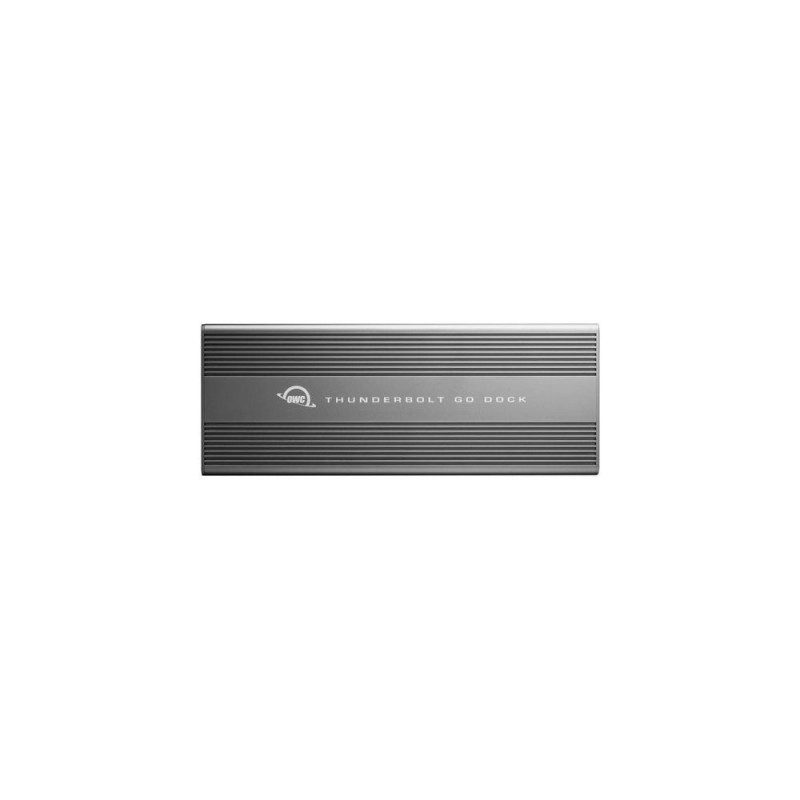
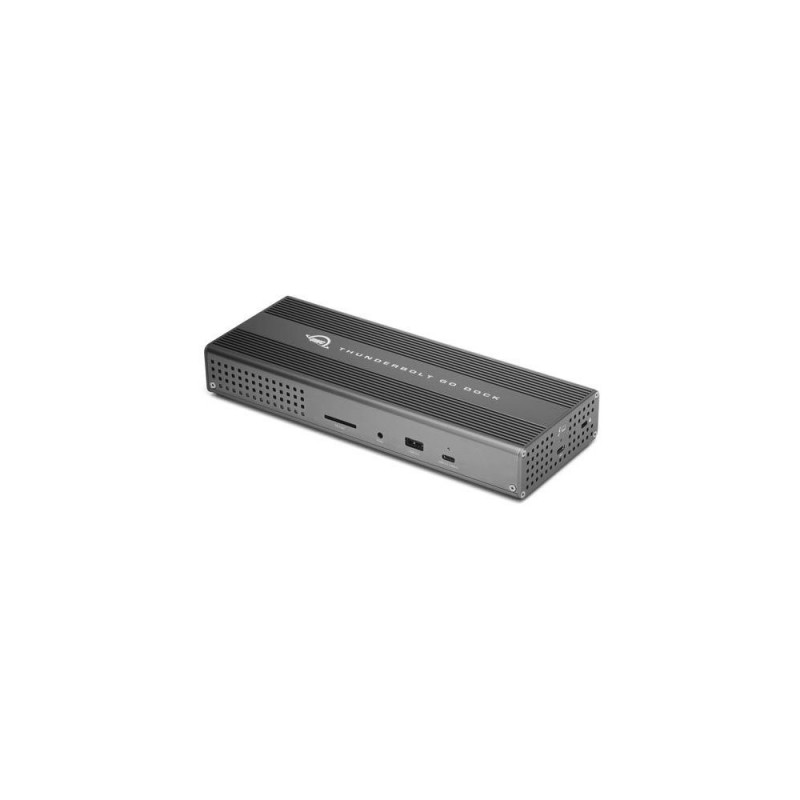
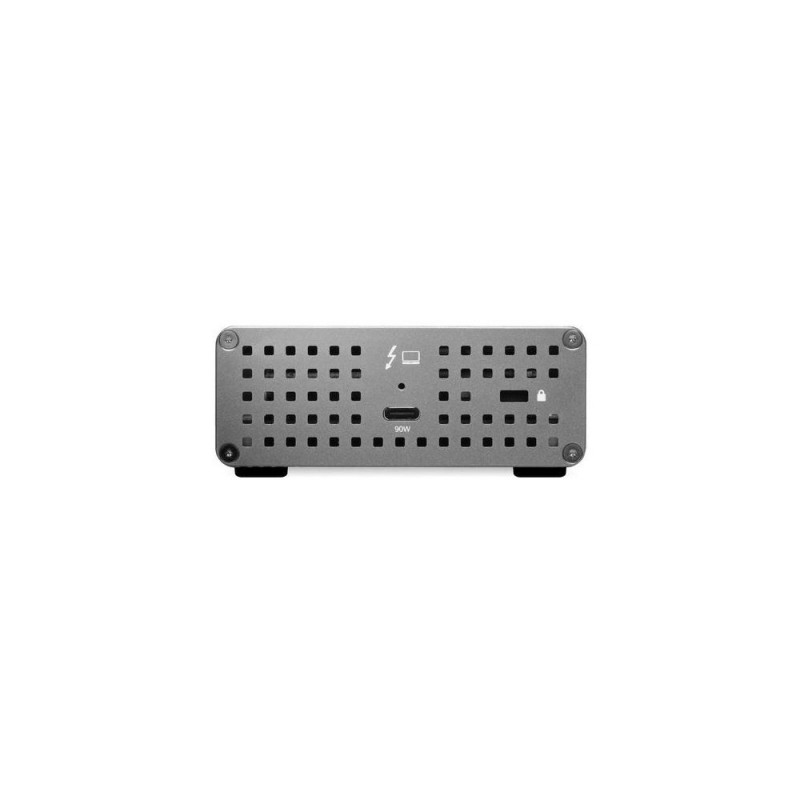
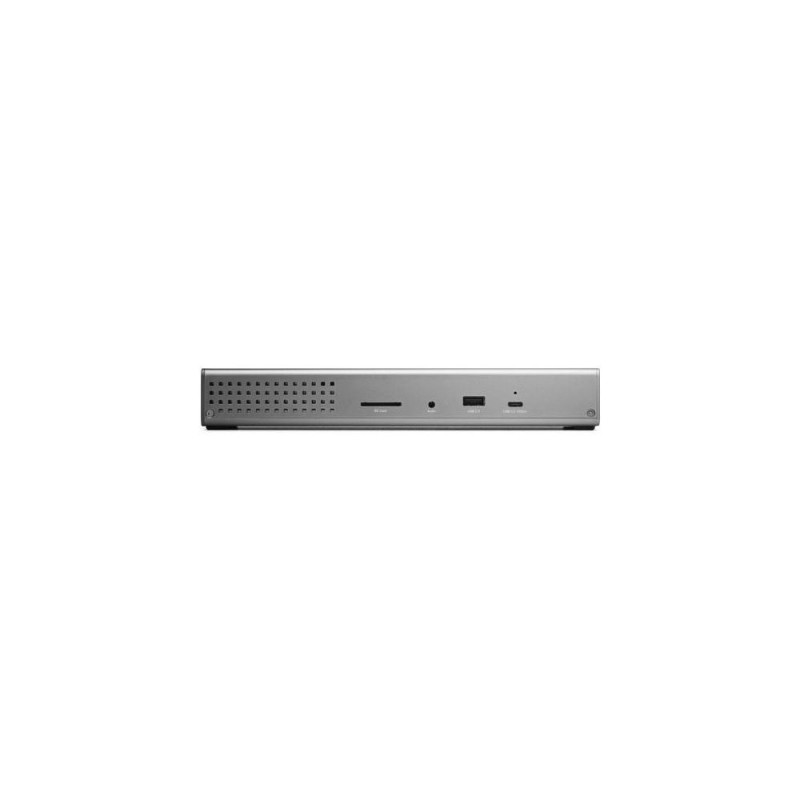
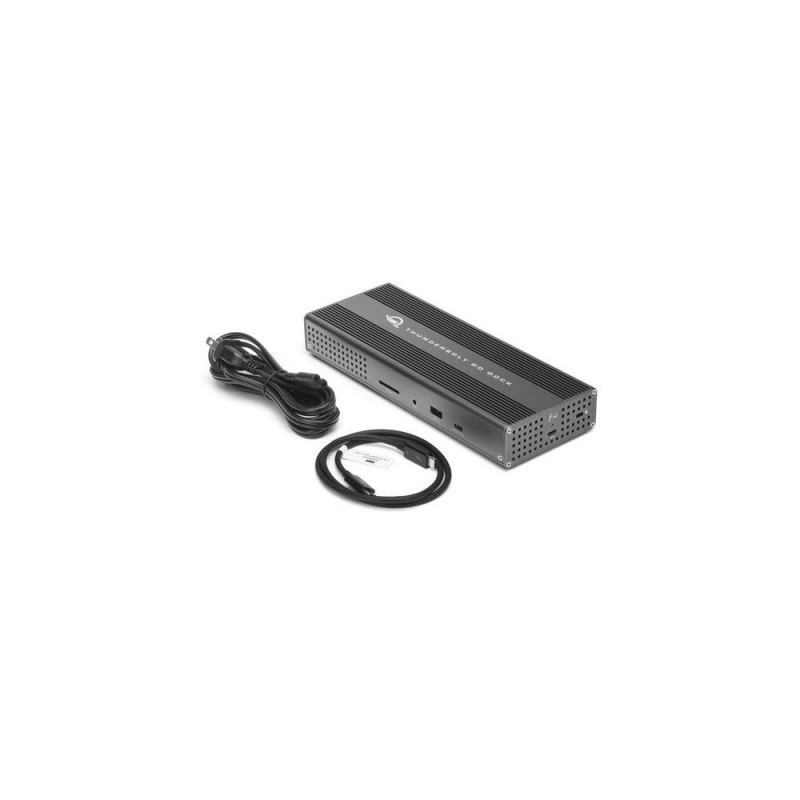
OWC Thunderbolt Go Dock Docking Thunderbolt 4 Grey
118-M810100980757
TASUTA TRANSPORT!
Põhiinfo
<b>Everything. Everywhere. Easier.</b><br>While life is often full of compromises, your dock shouldn’t be. You should be able to move your workflow from the desktop to the road easily on short notice without having to choose what deOsta kohe, viimased eksemplarid laos!
Vabandage, tooteandmed on tõlkimisel. Kui vajate toote võõrkeelse teksti mõistmisel abi, andke sellest palun teada e-posti teel info@photopoint.ee. Saadame teile kiirelt soovitud tõlke.
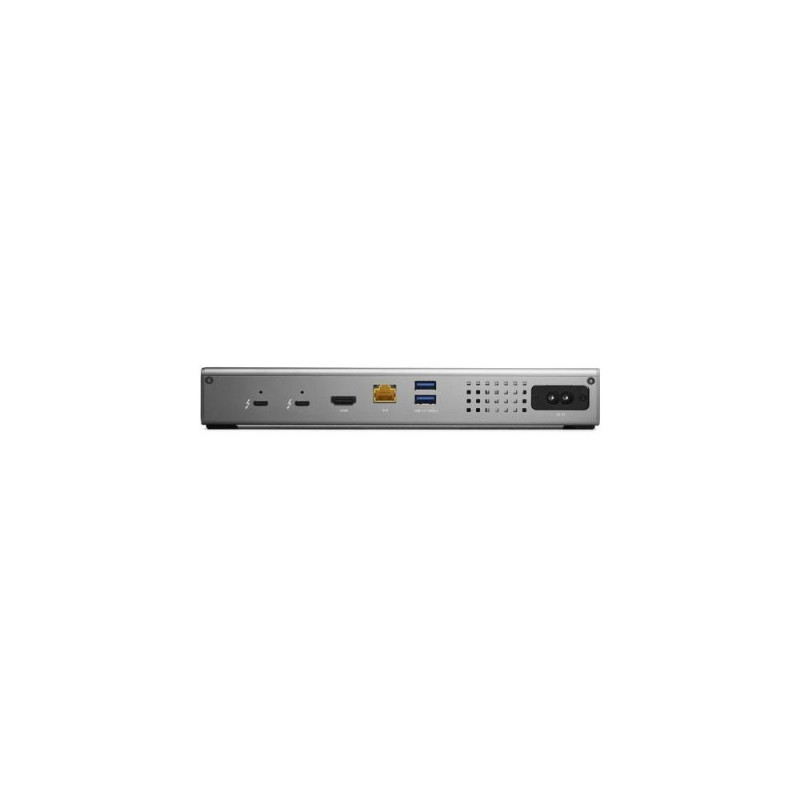
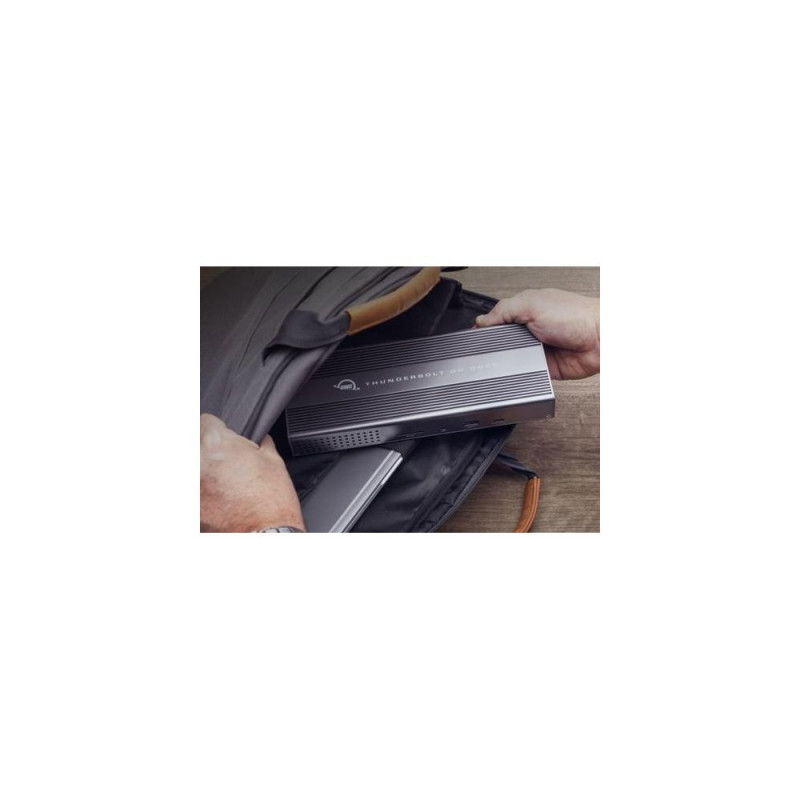
<b>Everything. Everywhere. Easier.</b><br>While life is often full of compromises, your dock shouldn’t be. You should be able to move your workflow from the desktop to the road easily on short notice without having to choose what device or accessory to leave behind.<br>Connect everything you want everywhere you call a workspace easily with the OWC Thunderbolt Go Dock. Say goodbye to a heavy, bulky power adapter slowing you down. Or a bus-powered mini dock not having the complete ports you need. Simply plug the power cable of this world’s first full-featured Thunderbolt dock with a built-in power supply into a standard outlet in coffee shops, airports, vehicles, video production carts, and more to put 11 ports of connectivity empowerment at your fingertips.<br><br><b>Go Connect It All</b><br>Get ahead at work and play by connecting an incredible array of past, present, and future Thunderbolt and USB devices and accessories to the Thunderbolt Go Dock. Tap into high-performance storage capacity including NVMe solutions. Record and livestream with an A/V mixer. Expand your capabilities with a PCIe expansion enclosure. Enjoy the feel of your favorite keyboard and mouse. Nearly any connectivity need you have or want is possible with a diversity of Thunderbolt and USB ports.<br><br><b>Turn Your Tablet into a Computer</b><br>With the Thunderbolt Go Dock, you can turn your tablet into a full computing platform with capabilities that exceed many desktop and notebook computer setups. Now you can transform one port on your tablet into 11 ports so you can read/write SD card media, share files in a blink on a high-speed network, free up your internal storage by offloading to an external drive, and work easier with a larger external display, mouse, and full-sized keyboard. You can even turn your tablet into a desktop video, audio, or podcasting recording and editing setup. The possibilities of how you can use the Thunderbolt Go Dock to redefine your tablet computing experience are nearly limitless.<br><br><b>When Mobile Is Better Than Portable</b><br>You want to connect it all and have it all work flawlessly. While bus-powered portable docks are great for most common uses, they can only provide so much power from the host computer. When you want to push your abilities to the max, the mobile ready Thunderbolt Go Dock’s built-in power supply gives you the juice you need. And it lets you take a fabulous diversity of connectivity anywhere easier by eliminating the need to carry around a pain-in-the-neck/shoulder/back power brick.<br><br><b>A Multi-Connectivity Solution for Millions</b><br>It’s a hassle trying to figure out or remember what interface your gear and computer has so you can use it all with a dock. Whether you have a Thunderbolt or USB-C Mac, PC, iPad, Chromebook, or Android device, the Thunderbolt Go Dock’s uplink port utilizes a USB-C connector to give you a multi-connectivity solution for millions of past, present, and future (yes even USB4!) computers and devices.1<br><br><b>A Resolutionary Idea</b><br>As a digital nomad, hybrid employee, or creative production pro, you need to be able to expand your notebook’s single display – imagine…TWO 4K displays! - for maximum productivity at a temporary work location. With the Thunderbolt Go Dock’s HDMI port and Thunderbolt technology, you can view more detail and make edits easier on up to an 8K display. Edit large format video on one 4K display while previewing the raw playback on a second 4K display. Whatever your workstation display needs, the Thunderbolt Go Dock gives you the vision to go to a higher level.3,4<br>Whether your computer or tablet is sporting the latest technology or is a few years loved, the OWC Thunderbolt Go Dock gives you multiple options to expand your visual horizons.<br><br><b>Go Energized</b><br>Keep your notebook and tablet ready for mobile use with the Thunderbolt Go Dock’s dedicated 90W power delivery Thunderbolt uplink port. You can also keep devices powered/charging on the other two Thunderbolt and four USB ports. Whether you’re taking a break or are done for the day, the Thunderbolt Go Dock continues to power and/or charge connected devices.<br><br><b>2.5x Faster + MDM</b><br>Many of today’s computers and tablets either don’t provide a network port (ugh…slow low-quality Wi-Fi) or feature the older 1Gb/s standard. Now you can transfer, copy, and/or edit files and work up to 2.5x faster over wired networks and enjoy increased productivity in an IP-based workflow with the Thunderbolt Go Dock’s 2.5Gb/s Ethernet port. Or, connect to a NAS for faster data access, backup, and 4K video streaming and editing.2<br>With MDM compatibility, OWC Docks make Mobile Device Management a breeze. Remote manage Go Dock empowered workstations across your organization. Other docks without MDM just don’t cut it.<br><br><b>Ingest in a Blink</b><br>Another “one less thing to carry” benefit for you is the built-in SD card reader. Video footage and photos are a part of daily life, and the Thunderbolt Go Dock lets you ingest your creative content conveniently fast. You can also use the reader like an external drive and store or backup files at will.<br><br><b>Go Multiple</b><br>Transform a single Thunderbolt into dual Thunderbolt ports with the OWC Thunderbolt Go Dock. Take advantage of extra Thunderbolt ports to connect multiple Thunderbolt / USB-C drives, devices and SSDs to experience the fastest speed your devices can deliver. Utilize multiple daisy-chains to connect even more with your Go Dock empowered workflow.<br><br><b>Simply Cleaner & Easier</b><br>Having a built-in power supply with your Thunderbolt Go Dock keeps your life simple. With one less power brick in your desktop setup, there’s less clutter for cleaner cable management. When mobile with another dock, if you lost its power brick, you are dead in the water. If you happen to misplace the Thunderbolt Go Dock’s standard and common 2-prong "figure 8" power cord, you likely already have one you can “borrow” from another device or can easily stop in at a local store for a replacement and keep working.<br><br>OWC Thunderbolt Go Dock. Connectivity technology: Docking, Host interface: Thunderbolt 4, USB Power Delivery up to: 90 W. Ethernet LAN data rates: 10,100,1000,2500 Mbit/s. Product colour: Grey, Compatible memory cards: SD, Maximum refresh rate: 120 Hz. AC input voltage: 100 - 240 V, AC input frequency: 50 - 60 Hz, Input current: 1.5 A. Windows operating systems supported: Windows 10 x64, Windows 11, Mac operating systems supported: Mac OS X 11.0 Big Sur, Mac OS X 12.0 Monterey, Mac OS X 13.0 Ventura, Mobile operating systems supported: Android 12.0, iOS 15, iPadOS
Mõõtmed ja kaalud
Toote koodid
Tootja
Kuidas kaup minuni jõuab?
Alates 99 € tellimuste transport on Eesti-siseselt tasuta. Toote täpsemat tarneaega vaata vahelehelt "Saadavus".
Selle toote puhul saad valida ühe järgmistest tarneviisidest:
Photopointi kauplusesse
Väiksemate toodete puhul on mugav minna kaubale järele Photopointi esinduskauplusesse. Nii on kauba kättesaamine Sinu jaoks täiesti tasuta, sest kauplusesse tellides ei lisandu postikulu ka siis, kui tellimus jääb alla 99 €. Kauba kauplusesse jõudmisest antakse Sulle teada e-kirja teel.
Photopointi kauplused asuvad Tallinnas ja Tartus. Täpsemalt saad poodide asukohti ja kontaktandmeid vaadata siit.
Omniva pakiautomaati
Vali kättesaamise kohaks endale sobivaim Omniva pakiautomaat. Kui pakk automaati jõuab, saadetakse Sulle SMS koos unikaalse koodiga. Mine kohale, sisesta kood automaati ja võta pakk. Nii lihtne ongi. Omniva pakiautomaadid asuvad hoonetest väljas – nii saad pakile järele minna olenemata kellaajast ja kuupäevast.
Lähima pakiautomaadi saad Photopointi veebipoes valida ostukorvis, tarneviisi juures olevast nimekirjast. Omniva kõikide pakiautomaatide asukohti saad vaadata siit.
SmartPOST pakiautomaati
Ehk on Sinule sobivaimas kohas hoopis SmartPOST pakiautomaat? Kui nii, siis vali Photopointi veebipoes ostukorvis tarneviisiks see sobivaim. Kui pakk automaati jõuab, saadetakse Sulle SMS koos unikaalse koodiga. Mine kohale, sisesta kood automaati ja võta pakk. Kiire ja lihtne.
Kõikide SmartPOST pakiautomaatide asukohti saad vaadata siit.
DPD pakiautomaati
Vaata kindlasti üle ka DPD pakiautomaatide asukohad. Neid on tänaseks juba üle Eesti. Vali Photopointi veebipoes ostukorvis sobiv DPD pakiautomaat ning kui pakk kohale jõuab, saadetakse Sulle SMSiga kood.
DPD pakiautomaatide asukohti saad vaadata siit.
SmartPOST Finland pakiautomaati
Telli kaup endale Soome või saada see enda Soomes elavale sõbrale. SmartPOST Finland pakiautomaadid toimivad sama lihtsalt nagu Eestisisesed automaadid. Vali Photopointi veebipoes ostukorvis sobiv SmartPOST Finland automaat. Kui pakk kohale jõuab, saadetakse saajale SMS koos unikaalse koodiga. Mine kohale, sisesta kood automaati ja võta pakk.
SmartPOST Finland automaatide asukohti saad vaadata siit.
Matkahuolto väljastuspunkti Soomes
Telli kaup Soome või saada see enda Soomes elavale sõbrale. Vali Photopointi veebipoes ostukorvis sobiv Matkahuolto väljastuspunkt ning kui pakk kohale jõuab, saadetakse Sulle SMS või e-mail teavitusega. Mine kohale, näita isikut tõendavat dokumenti ja võta pakk.
Matkahuolto teeninduspunkte saad vaadata siit.
Kulleriga koju või kontorisse
Kulleriga saad kauba tellida koju, kontorisse või mujale, kus kauba kätte toimetamise ajal viibid. Kaup toimetatakse aadressile tööpäevadel kella 08:00-17:00.
Enne kauba kohale jõudmist helistab kuller kontaktile. Kaupa "koju" tellides hoolitse, et telefon oleks käepärast ning volitatud isik kauba kohale jõudmise ajal sihtkohas seda vastu võtmas. Eriti just suuremate esemete tellimisel palume arvestada, et kuller toimetab kauba vaid välisukseni.
Toode on saadaval Photopointi veebipoes 7-14 tööpäevase tarneajaga. Esinduskauplustes kohapeal seda toodet müügil ei ole.